Have you ever struggled to find ideas for your content on TikTok? Since many users, businesses, and creators struggle with content ideas every day, the TikTok Creative Center has become a lifesaver.
In this guide, we’ll explain what the TikTok Creative Center is so you can post on TikTok with fresh ideas. We’ll also cover other topics, including its important sections and features, as well as best practices for leveraging its data.
By the end, you’ll have a clear roadmap to the TikTok Creative Center. Let’s dive in!
What Is TikTok Creative Center?
The TikTok Creative Center is an online platform built to help you discover the latest trends, sample ads, and creative best practices.
According to TikTok ads, the creative center is a growing hub of resources designed for marketers. TikTok created the creative center as a one-stop shop for inspiration.
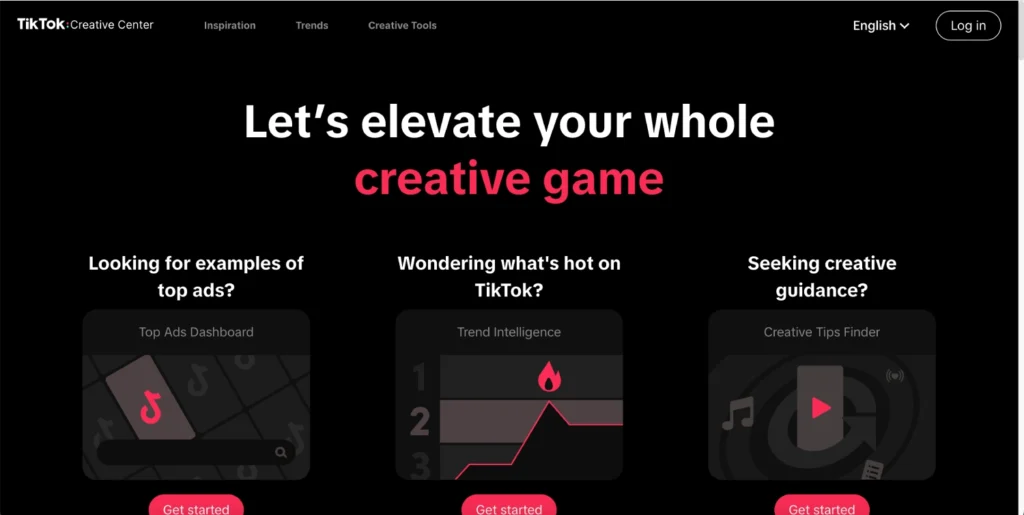
It’s designed to help you come up with ad ideas that actually work and connect with people across different communities on TikTok. So, what’s inside? Let’s find out.
What You’ll Find in TikTok’s Creative Center?
According to new TikTok’s guidelines, the creative center has everything from top ads and keyword insights to trend data like popular TikTok hashtags, songs, creators, and videos. You’ll also find handy tools such as an AI script generator and a full music library to make creating even easier.
In simple terms, the TikTok Creative Center answers questions like: “What content is trending right now?” or “What video styles and hashtags get results?” It’s especially useful when you’ve run out of ideas but still want to grow your account quickly.
So, if you’re wondering how to get started with the creative center to get more followers on TikTok, stick around! The next part will walk you through it.
How to Access The TikTok Creative Center
This platform is free and easy to use, but it’s only available for business accounts, not personal pages.
There’s no separate app; all you have to do is go to the creative center page on a desktop or mobile browser and log in. Another easy way to find it is through your TikTok Business Center dashboard or by searching “TikTok Creative Center” on Google.
Now, let’s break down the login process for the TikTok Creative Center:
- First, head over to TikTok Creative Center via your browser (desktop or mobile).
- Click on “Log In” or “Sign Up”.
- Once you’re on the homepage, look for the Log In button in the top right corner of the page.
- Log in with “Your TikTok For Business Account”.
- To access all features, it’s best to log in with a TikTok For Business (commercial) account. If you don’t already have one, you’ll need to create one by signing up for TikTok for Business.
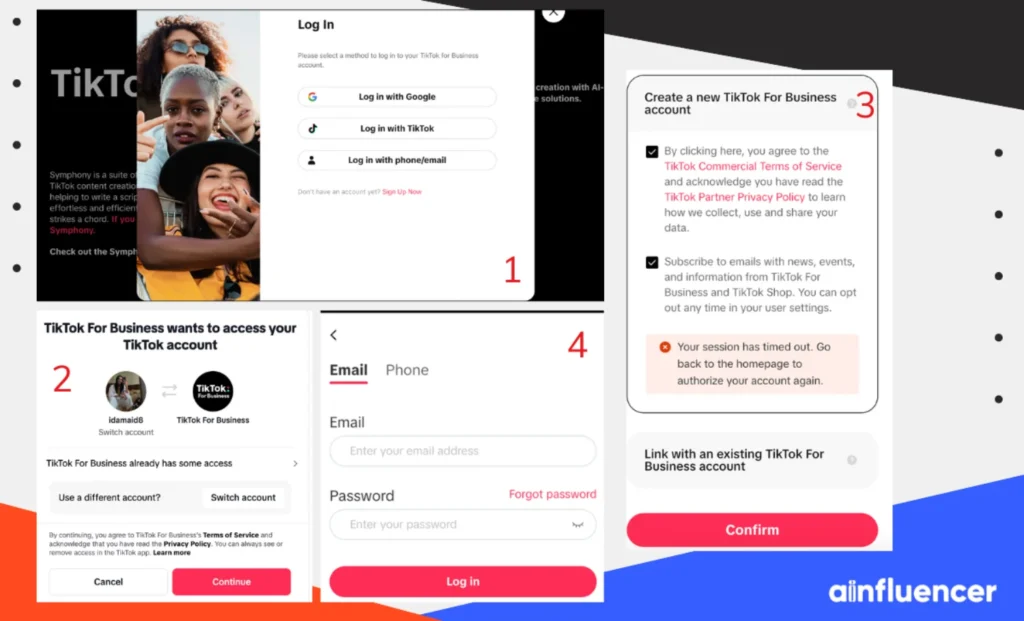
You can browse most of the creative center without signing in, which is great for casually exploring trends. However, TikTok recommends logging in with a “TikTok For Business” (commercial) account to unlock all features.
What Happens When You Log in to the TikTok Creative Center?
Once you’re on the site, the layout is straightforward. The top browsing separates the content into categories that include:
- Inspiration,
- Trends,
- Creative Tools
- Education.
With an account, you can save favorite content, see personalized data, and access certain tools (like the Material Library).
However, keep in mind that even if you don’t log in, you can still view top ads, trending hashtags/songs, and more; you just won’t be able to save or download assets.
Under each, you’ll find sub-sections that you can filter by region or industry, and search for specific keywords.
For brands that pay for ads, this login also lets you “add your assets” and view any creative materials you’ve created. But even without a login, you can start tapping into insights immediately. Once logged in, the interface remains the same, but you can now:
- Save collections of Top Ads under “My Collections”, so you can refer back to ads you like.
- View your Creative Center ID (a number) and any assets you create (like edited videos using TikTok tools).
- Authorize your own ads so that your agency/partner can use them for inspiration (under Ad Authorization Management).
- Access specialized content like the Material Library (where you can remix assets).
If you’re using TikTok Ads Manager, you’ll find links to Creative Center directly in the navigation, too. Some users bookmark the Creative Center page for quick access.
The creative center is optimized for desktop (the full dashboards with charts). On mobile, some sections are truncated. For the full experience (e.g., to use the Top Products filter or see detailed charts), it’s best to use a computer.
How to Use TikTok Creative Center
Wondering how to use this platform? Here is a full guide to rely on.
1. Analyze Top Products
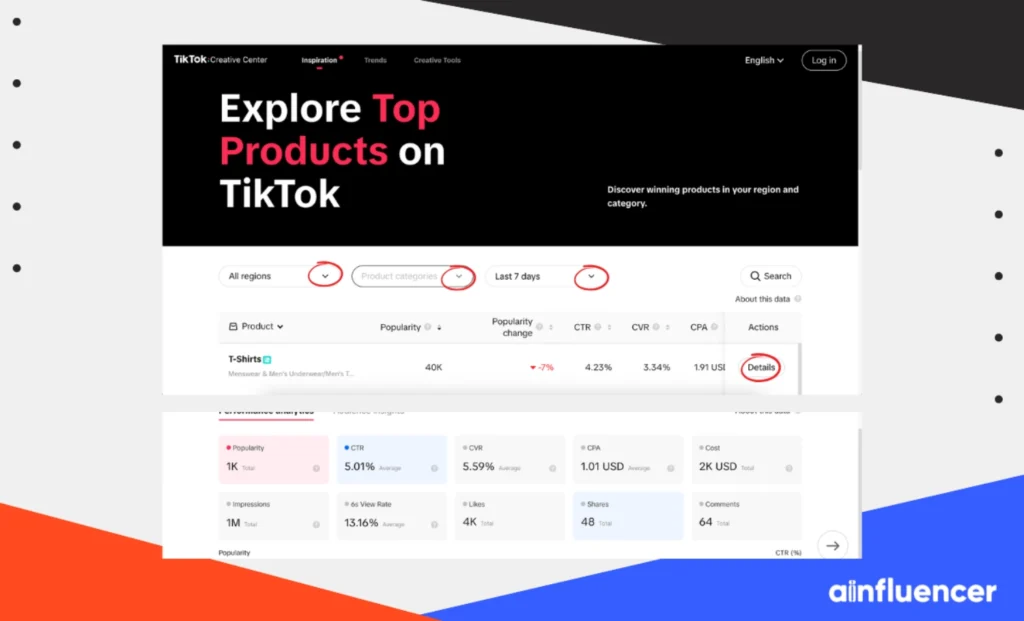
Struggling to find the right products for your business? The Top Products tool, which is only available on PC, makes it easy to identify trending products based on impressions, sales, and regional performance.
To analyze the top products on TikTok, simply follow the steps below:
- Open the TikTok Creative Center and tap on the “Top Product” section.
- Filter by region, category, and timeframe to match your business needs.
- You can toggle between subcategory and product-level views for more specific insights.
- Sort products by key metrics (e.g., impressions or sales) by clicking the arrows next to each column.
- Click the “Details” button to view performance trends, audience insights, and related videos.
- Use performance analytics to compare metrics over time and track product performance trends.
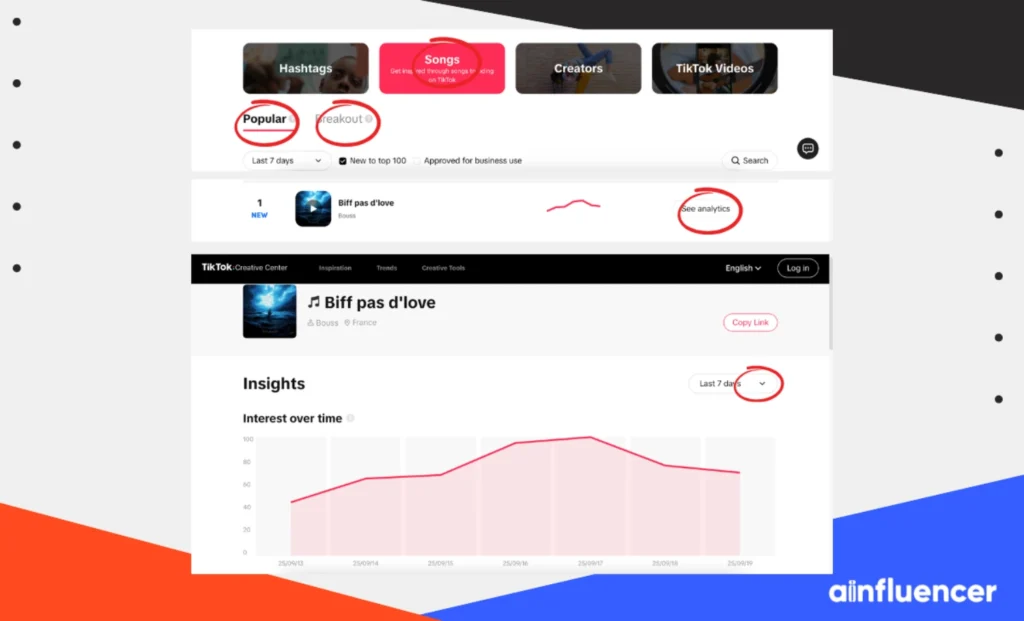
2. Discover Trending Songs
TikTok is known for its viral music trends. The Creative Center lets you explore the most popular songs and spot emerging trends.
Here’s how to discover trending songs on TikTok.
- Click on the “Trend” tab and select “Songs”.
- Browse the “Popular” and “Breakout” song lists.
- Click on a song for detailed analytics, including its popularity graph and audience insights (e.g., age range, related interests).
3. Browse Trending Videos
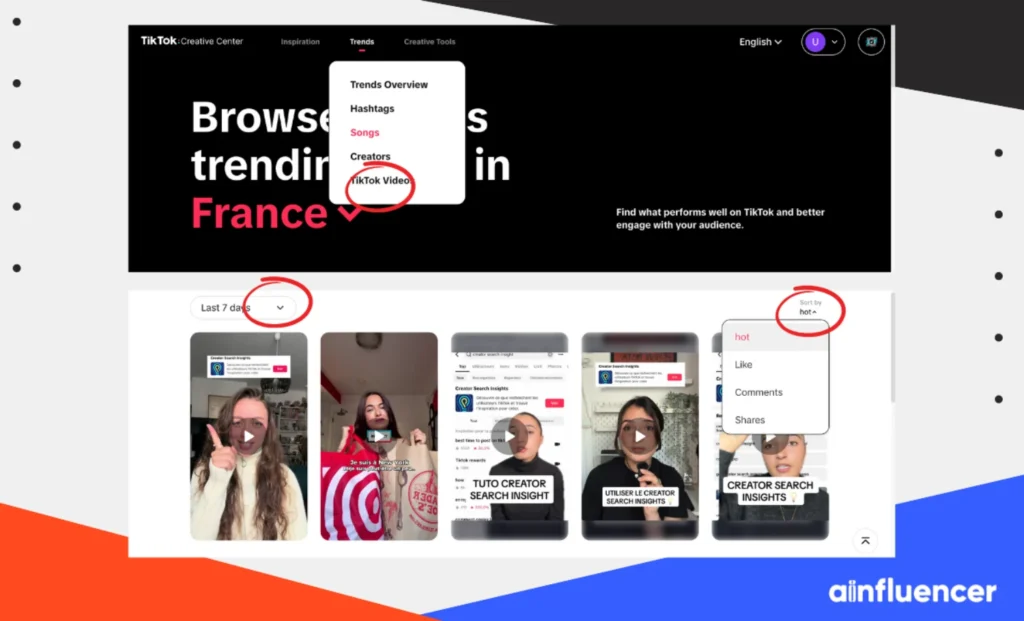
Want to know what’s resonating with TikTok users? Check out the Top TikTok Videos section for inspiration. To browse trendy videos in the TikTok Creative Center, make sure to:
- Under “Trend”, select “TikTok Videos” to view top-performing videos.
- Use filters to narrow down videos that match your campaign goals.
4. Review Competitor Ads
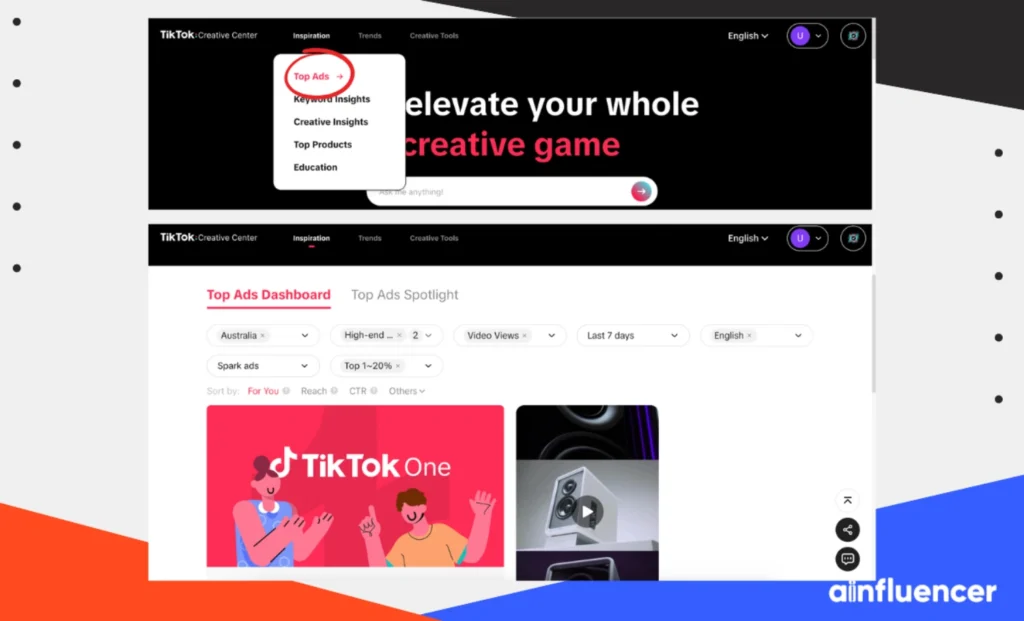
Analyzing competitor ads is a smart way to learn from the best. Here is how to get into it.
- Go to “Inspiration” and click on the “Top Ads”.
- Filter ads by region, industry, or performance metrics like likes and ad duration.
- Check out the performance analytics of top ads to understand what’s working in your industry.
5. Access Keyword Insights
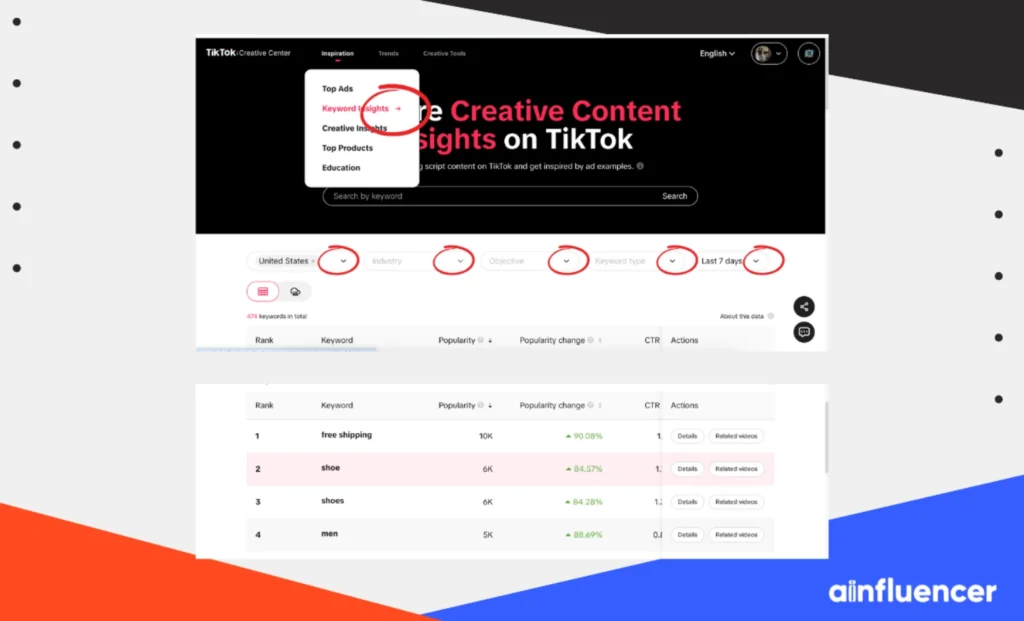
Keywords are crucial for increasing your visibility on TikTok. The “Keyword Insights” tool helps you discover trending keywords in your industry. To access the keyword insights, simply follow these steps.
- Go to the “Inspiration” tab and press on “Keywords Insights”.
- Filter by region, industry, and time period to find keywords relevant to your brand.
- Click on any keyword to see its performance and related videos.
Key Sections and Features of TikTok Creative Center
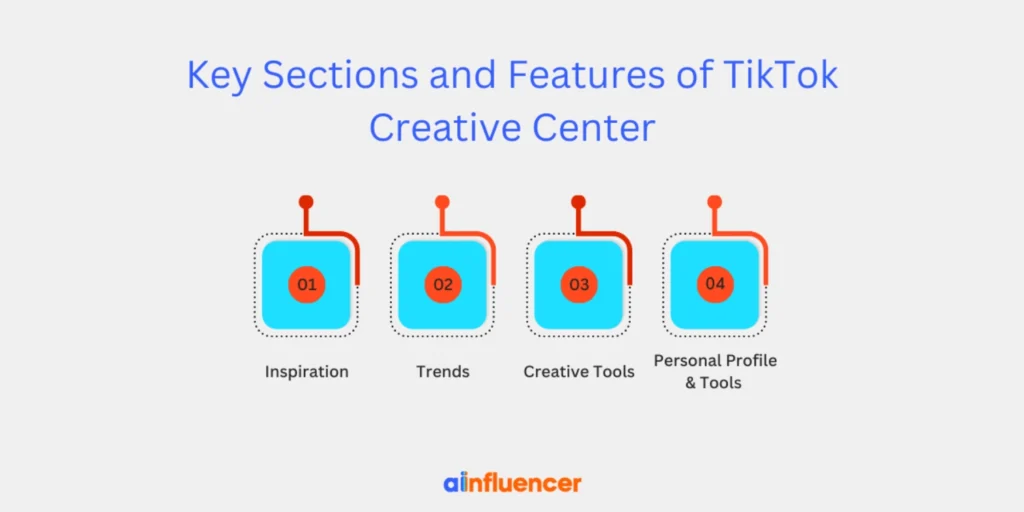
There are four categories in the TikTok Creative Center, and each of them needs to be handled effectively. Otherwise, using the creative center will be useless and won’t help your brand or business.
The four sections include inspiration, trends, creative tools, and personal profile and tools with multiple models that we’re going to break down for you.
1. Inspiration
The “Inspiration” category includes top ads, keyword insights, creative insights, and top products and education. It helps you find ideas and examples in the TikTok Creative Center. Each of these has specific guides that you need to know about.
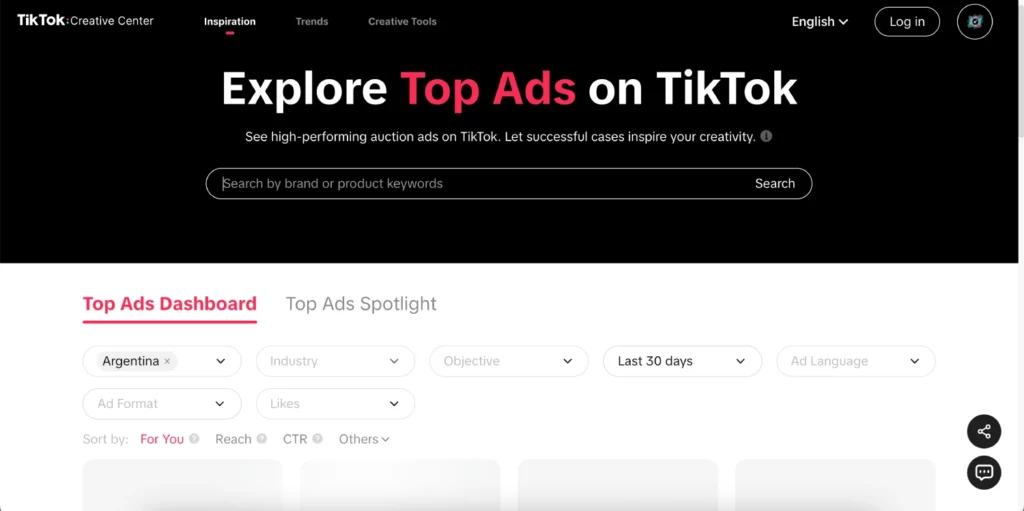
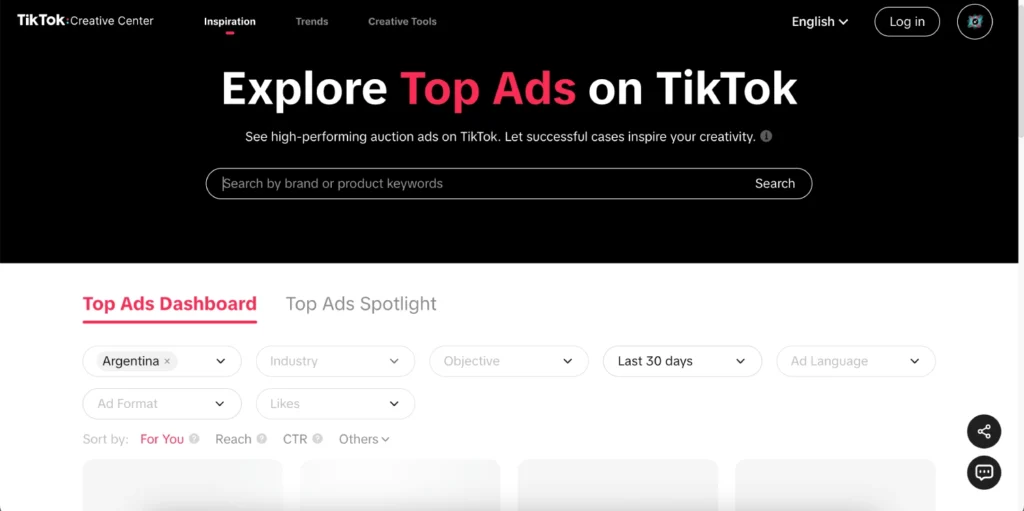
- Top Ads: A gallery of high-performing TikTok ads across different industries. You can watch these ads and view their metrics, such as the number of likes, shares, and more.
When you click on a top-performing ad, the metrics reveal data on performance and the most engaging frames. This is where you can see real campaigns that have worked on TikTok.
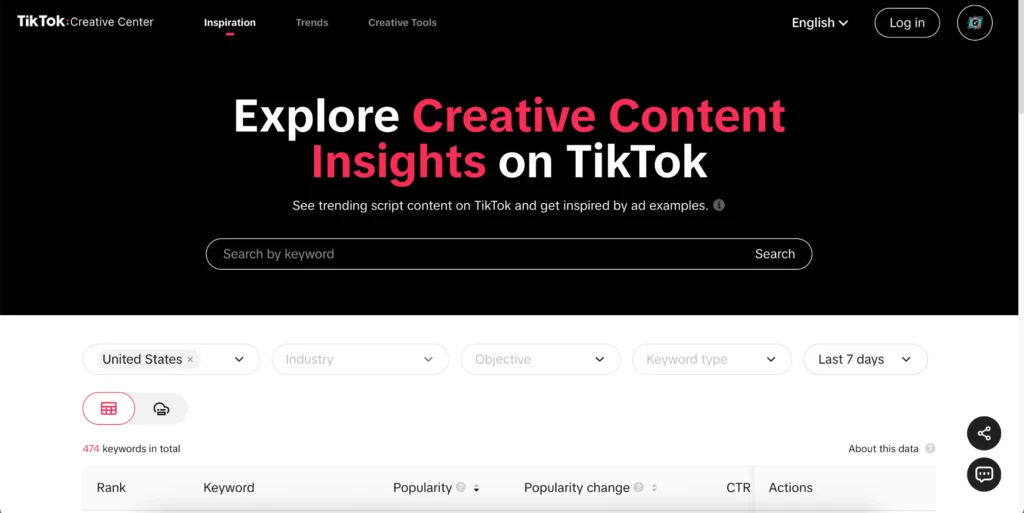
- Keyword Insights: In the Inspiration category, you’ll find lists of top keywords and phrases used in successful ad copy. These can spark ideas for messaging your product’s value proposition.
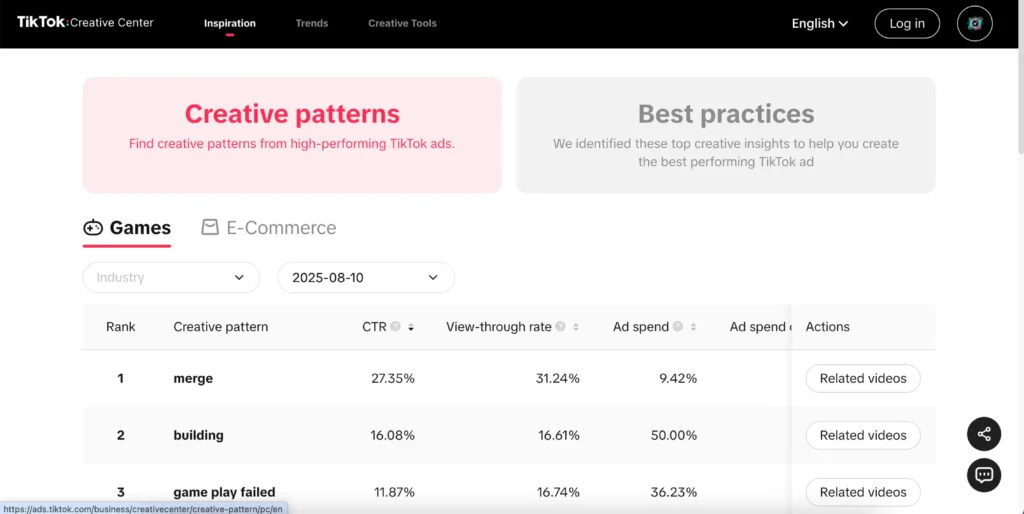
- Creative Insights: These are data-backed analyses of what elements drive ad performance. It highlights creative patterns, like common visual themes, and best practices based on TikTok’s research into effective storytelling.
- Top Products: This model shows trending products featured in TikTok ads. You can browse by category and region to spot which items are selling well right now.
For example, TikTok data has shown that products like T-shirts and perfumes with huge ad impressions are selling well. So, why not try them if you’re in the same business niche?
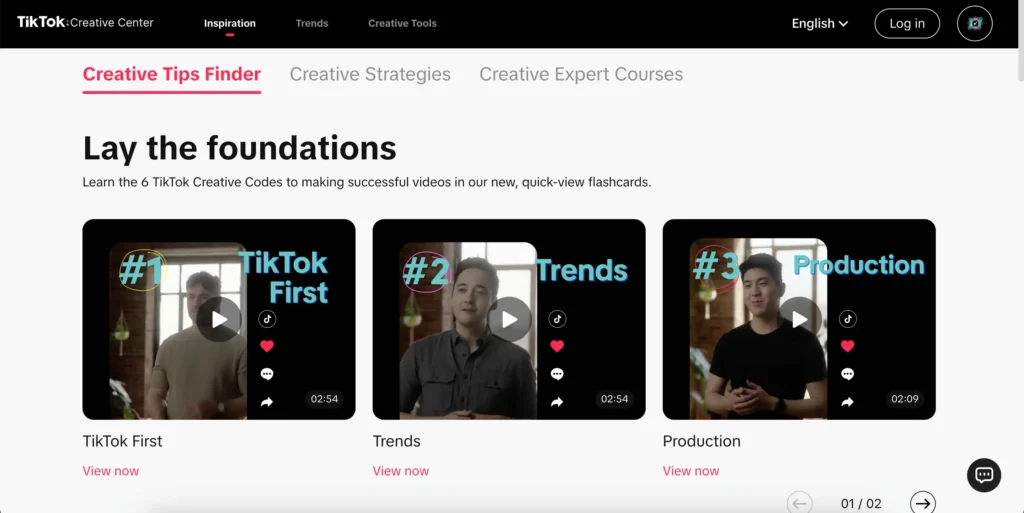
- Education: Includes TikTok’s creative tips finder, creative strategies playbooks, and creative expert courses. These guides and tutorials (often in video format) teach you how to craft TikTok-specific content.
2. Trends
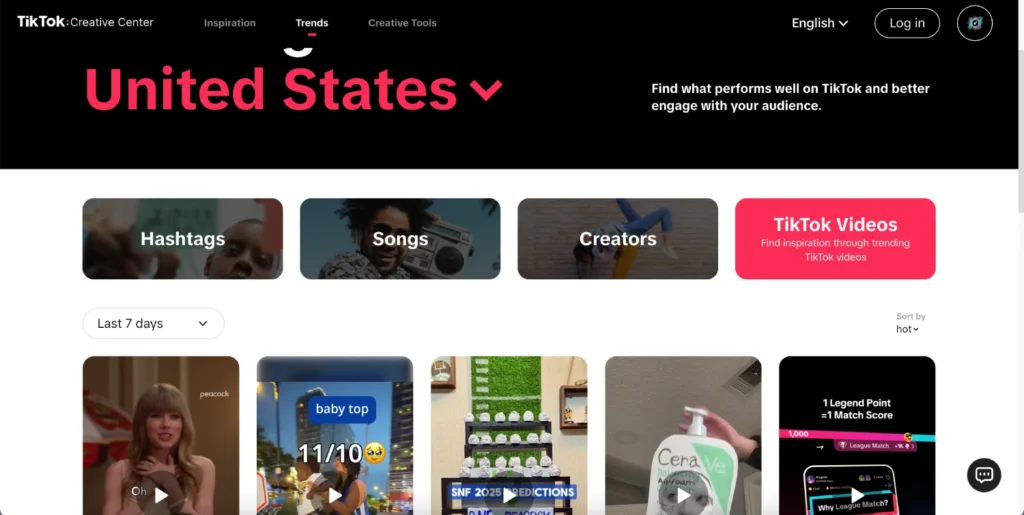
As the name suggests, the trends category includes the top trends on TikTok, meaning you can track viral content, which could happen by:
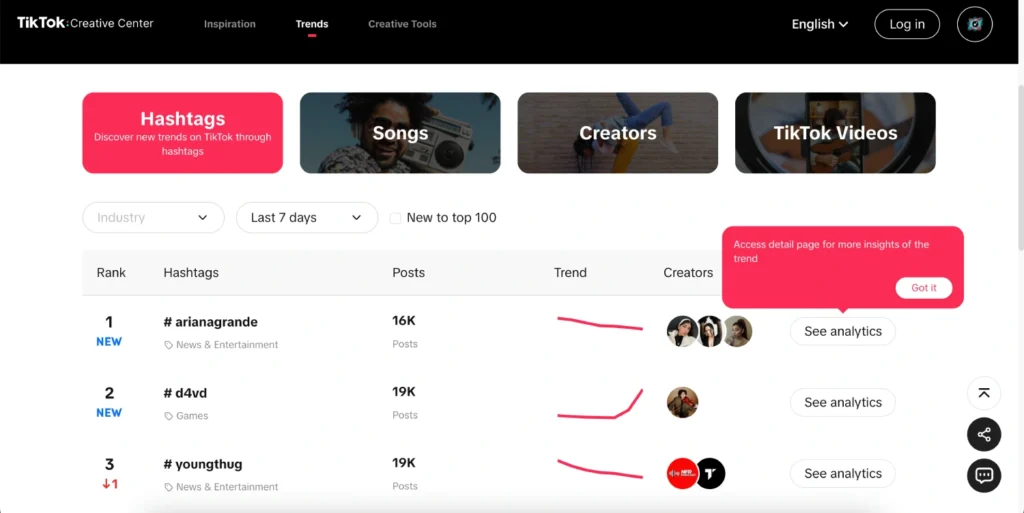
- Hashtags: Displays the currently trending hashtags for your selected region/industry. You’ll see tags like #something and how many posts they have. This shows what topics or challenges are hot.
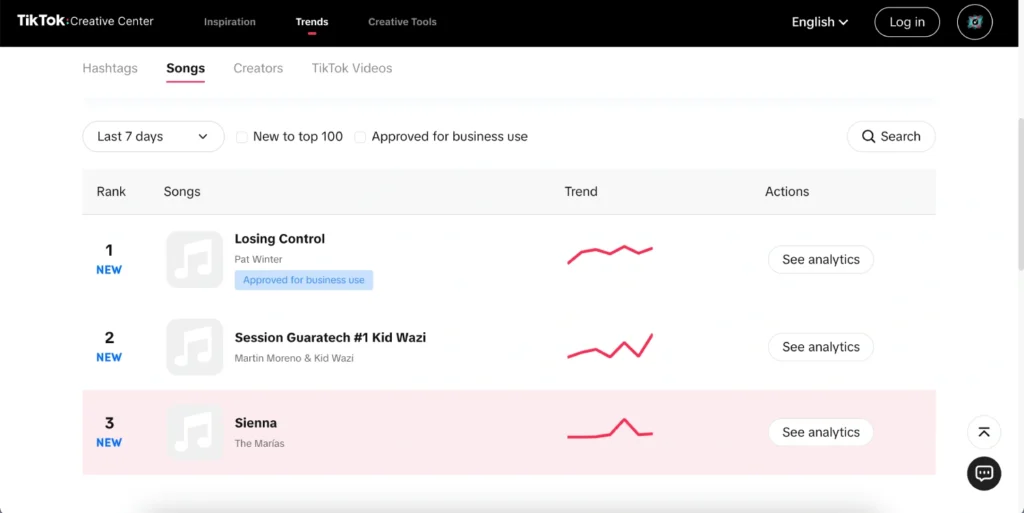
- Songs: Similar list for trending audio clips/songs. TikTok is moving and keeps updating with music, so knowing trending tracks lets you pair them with your videos or find similar royalty-free tracks in the Commercial Music Library.
- Creators: Highlights the most-followed or fastest-growing creators by region/industry. This can help with influencer outreach or inspiration.
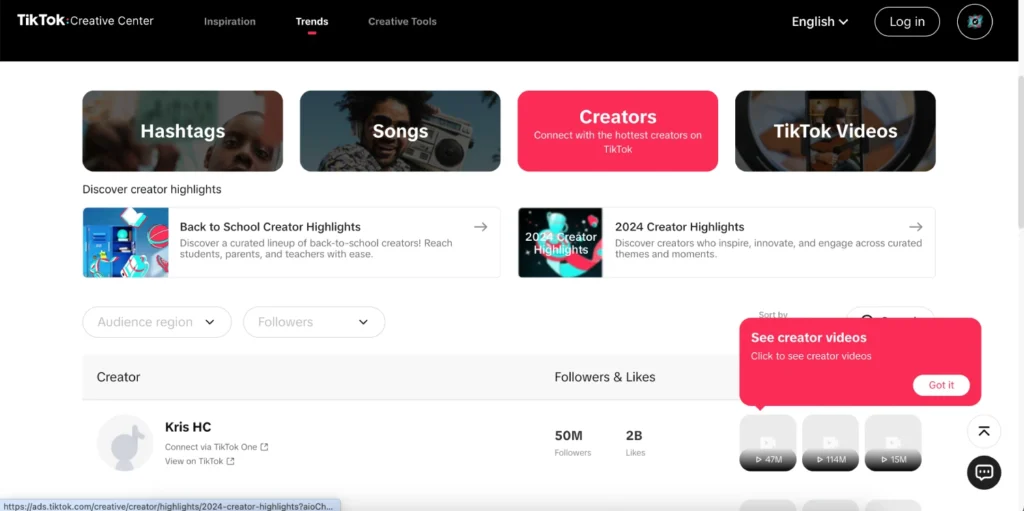
- TikTok Videos: A feed of viral organic videos (not ads). Seeing these videos helps understand current content styles and memes.
3. Creative Tools
For those who are looking to build and optimize content, the creative tools in the TikTok Creative Center can help them a lot. These tools include:
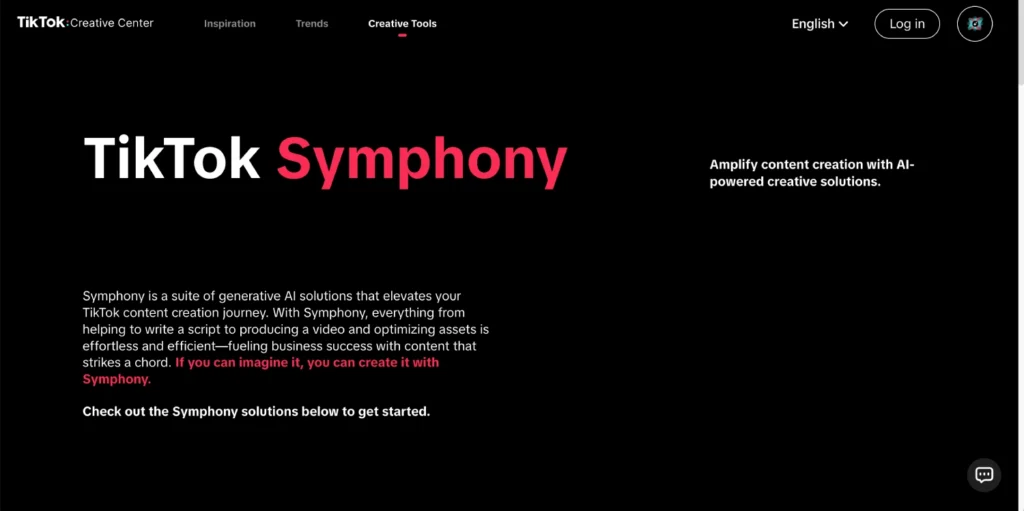
- TikTok Symphony: An AI assistant with a chat interface that helps brands and businesses come up with the best new creative ideas, refine scripts, or suggest trends.
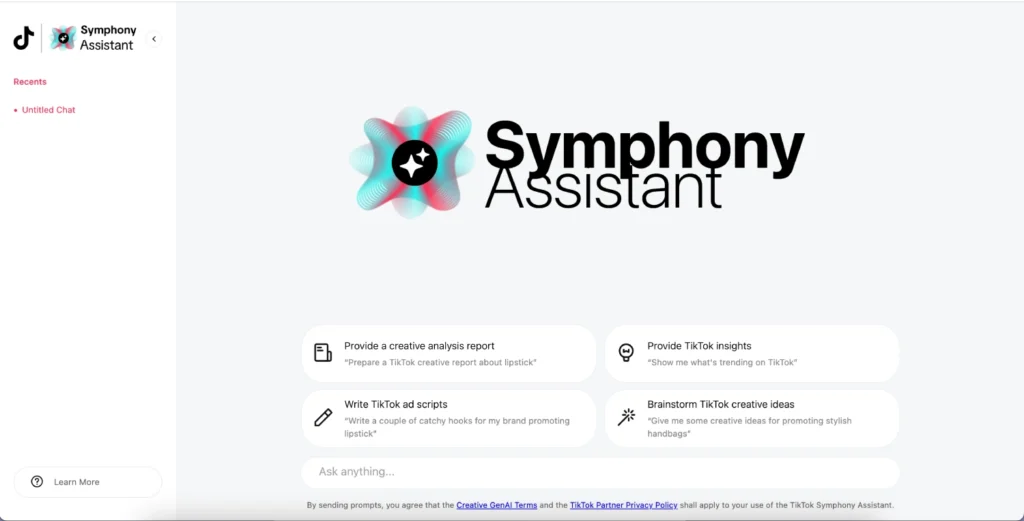
- Symphony Assistant: Symphony Assistant is a powerful tool in TikTok’s Creative Center that helps creators optimize content ideas and trends. It provides insights to boost engagement and reach.
- Script Generator: by entering your product details, the AI will generate a video script outline (with scenes, narration, text overlays). It’s great for jump-starting ad copy.
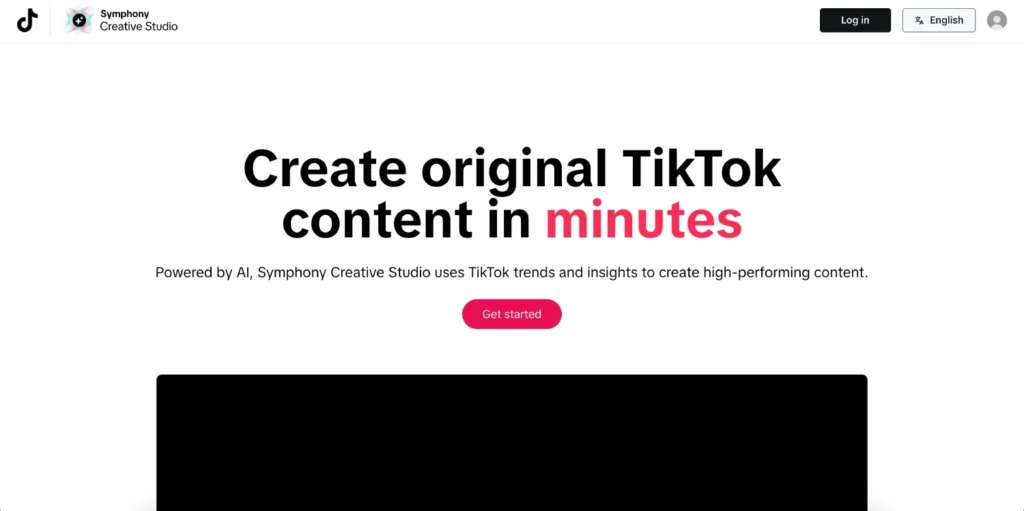
- Interactive Add-ons: TikTok ad formats like polls, carousels, or augmented reality effects. You can preview these add-ons in mockup tools to see how they’ll appear in ads.
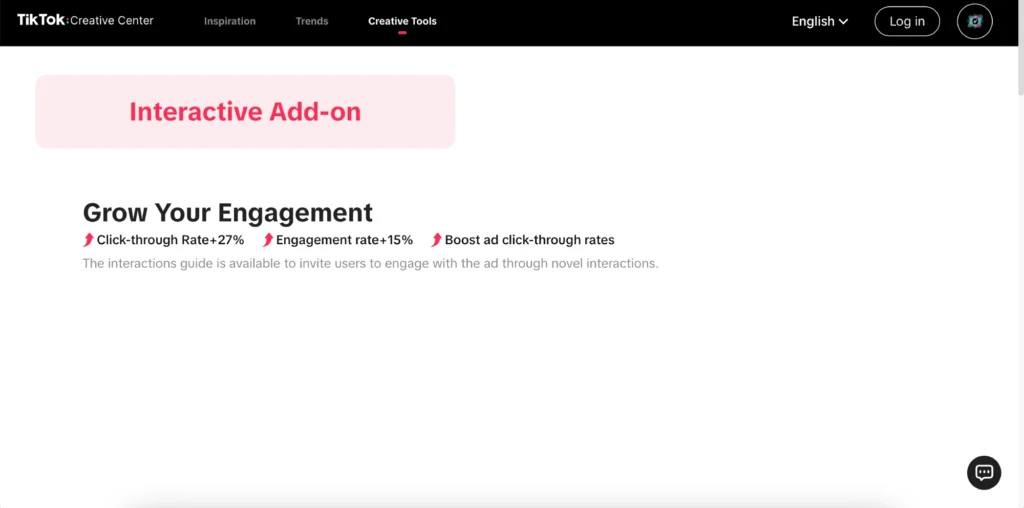
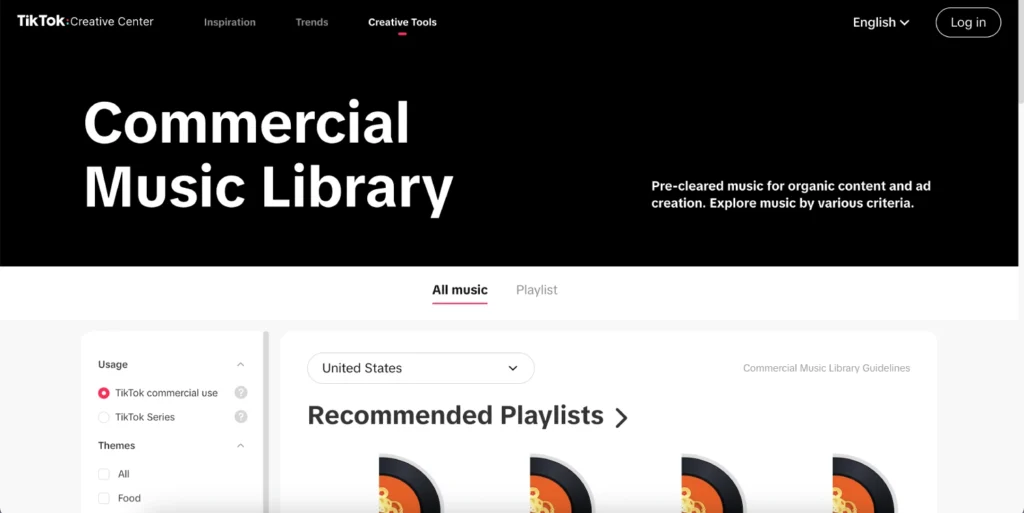
- Commercial Music Library: A searchable database of audio tracks cleared for commercial use on TikTok. You can filter by mood, genre, or theme. TikTok also provides playlists of popular themes.
4. Personal Profile & Tools
This part of the TikTok Creative Center is the one you can access as soon as you log in. In this category, you’ll see your creative center account details, saved top ad collections, and any assets (like edited videos) you’ve created using TikTok’s tools.
These options are designed to give you the best ideas for going live on TikTok and content creation, and help you strategize using data.
For example, the top ads dashboard not only shows you what’s trending but also lets you learn why it’s popular by analyzing which parts of a video capture the most engagement.
The trends/hashtags section, on the other hand, tells you exactly which hashtags are gaining traction right now. And the Tools section is pretty straightforward; it lets you take action on those insights.
7 Best Practices for Using TikTok Creative Center
To make the most of this platform, follow these expert-backed best practices:
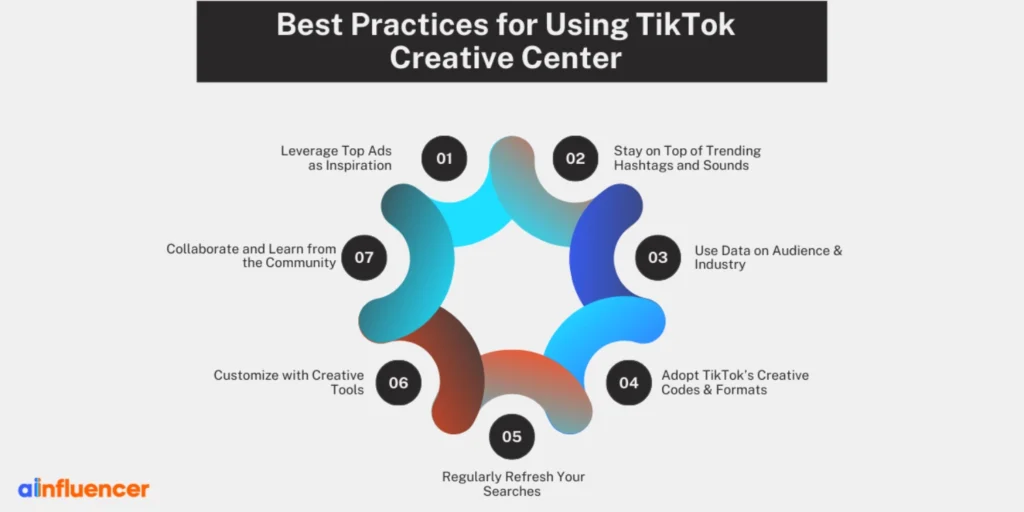
1. Leverage Top Ads as Inspiration
Make sure to keep browsing the top ads library to see what styles and narratives resonate. Look for patterns like:
Do most top ads in your category use humor, direct testimonials, or storytelling?
For example, brands in beauty and wellness use Before-and-After transformations or unboxing formats to great effect. Use these real examples to spark your own ideas. Take note of pacing, captions, and CTAs that work and adapt them to your product.
2. Stay on Top of Trending Hashtags and Sounds
Every day and every minute, a new hashtag or song can go viral. The Trends and Hashtags tab lists the top 100 trending hashtags.
Use these as content pillars. For instance, if #DIYHomeDecor is trending and fits your niche, create a video around that theme.
Similarly, check the Songs tab for viral sounds. We’ve found that content sync to trending audio often gets a boost in the “For You” page.
Keep in mind to use the Commercial Music Library placed under Creative Tools to find royalty-free tracks with similar energy to trending hits.
3. Use Data on Audience & Industry
The TikTok Creative Center provides metrics and industry filters. Compare your campaign’s performance against these benchmarks. If you see that beauty ads get higher likes with soft music, tailor yours accordingly or repost it on TikTok.
For example, if you’re in fashion, focus on trends in the “Womenswear” category shown under Top Products. The Top Products tool will show if “Casual Dresses” or “Lipstick” are particularly hot, so those are the winning products to feature.
4. Adopt TikTok’s Creative Codes & Formats
This platform highlights common creative patterns. Make sure to pay attention to the theme. For example, TikTok suggests using effects like Green Screen or Interactive Polls, or starting videos with a strong hook, as you already know, the first 2 seconds matter.
While these are TikTok best practices more generally, the creative center education hub has playbooks on these patterns.
For example, responding to comments in your video, a pattern called “Respond to Comment” can increase engagement and get free followers on TikTok. We often advise clients to try at least one popular format from Creative Center each month and A/B test it.
5. Regularly Refresh Your Searches
New ads and trends pop up daily. Make it a habit to revisit the Creative Center. For instance, TikTok’s Adspend Pattern shows some trends as “nano” (minute challenges), “micro” (build longer trends), and “macro” (cultural shifts).
Every week, check if any nano/micro trends are emerging that align with your niche. Because TikTok’s algorithm is so real-time, a trend today might be gone in a week, so frequent monitoring pays off.
6. Customize with Creative Tools
Use the built-in tools to test different versions. For example, use the Script Generator to outline your next ad, then use the Interactive Add-on mockup to preview it.
These tools save time and ensure you don’t violate any specs. Also, experiment with AR effects or filters highlighted in the Creative Center to make your content pop.
7. Collaborate and Learn from the Community
The creative center can indirectly bring partnerships. Spot a rising creator on the creators tab who aligns with your brand. The TikTok One program makes it easy to contact them.
In practice, we’ve seen brands reach out via TikTok’s direct chat (Creative Exchange) to collaborate on content that’s already trending.
After all the testing we’ve mentioned, there’s one conclusion so far: to have a successful brand or business, you need to make the creative center part of your creative workflow.
This means that during your weekly content meeting, check the “Trending” dashboard and adjust your content calendar to include any hot topics or audio.
As TikTok itself says, the Creative Center tools help “bridge the gap between creativity and strategy.” In our experience, teams that use it consistently produce more on-trend, engaging content. Here are some real-time examples to understand the Creative Center better.
How to Use TikTok Creative Center for Winning Products and Trending Audios
In order to make powerful use of the TikTok Creative Center, it’s best to utilize the product research feature.
The “Top Products” section, located under Inspiration, lists the items currently selling well in TikTok ads.
This option allows you to filter by country or category. If you’re an e-commerce brand, this tells you what people are buying on TikTok. Below is an explanation to help you understand this better.
For example, it may show that “Menswear – T-Shirts” and “Beauty – Perfume” have lots of impressions. Using this data, you can decide which products to promote or stock up on. Some brands even use the “Top Products” section as a “product discovery” tool. Wondering how?
They list their own items in similar categories to track them. TikTok suggests this feature to “identify which products to showcase” in your creatives.
The same as this one, finding trending audios is even easier in just three simple steps. Here’s how:
- Go to the Trends,
- Tap on the Songs tab,
- And browse the top clips.
Who Can Use TikTok Creative Center?
In practice, any TikTok user (creator or business) can browse its content, so it serves both small creators and large advertisers.
No payment or subscription is needed. As we mentioned above, the platform is 100% free. TikTok released it to democratize creative learning, which has been really helpful so far.
Here’s an important point to keep in mind: To use the TikTok Creative Center, you do not have to run ads or pay any fees.
A TikTok For Business account (which is free to create) is helpful, but the basics are open to all. That said, some features (like saving favorites or uploading custom assets) require logging in.
To wrap things up, creators, agencies, SMB owners, and enterprise marketers can all use it at no cost. TikTok has even promoted the Creative Center in educational programs for small businesses, emphasizing that anyone can benefit from its insights.
For example, a blogger trying to grow their account can use the Creative Center to see what type of videos and hashtags are trending in their niche, even if they’re not paid advertisers.
Why TikTok Creative Center Matters
TikTok Creative Center is more than a nice-to-have; it’s become essential for effective TikTok marketing. Here’s why:
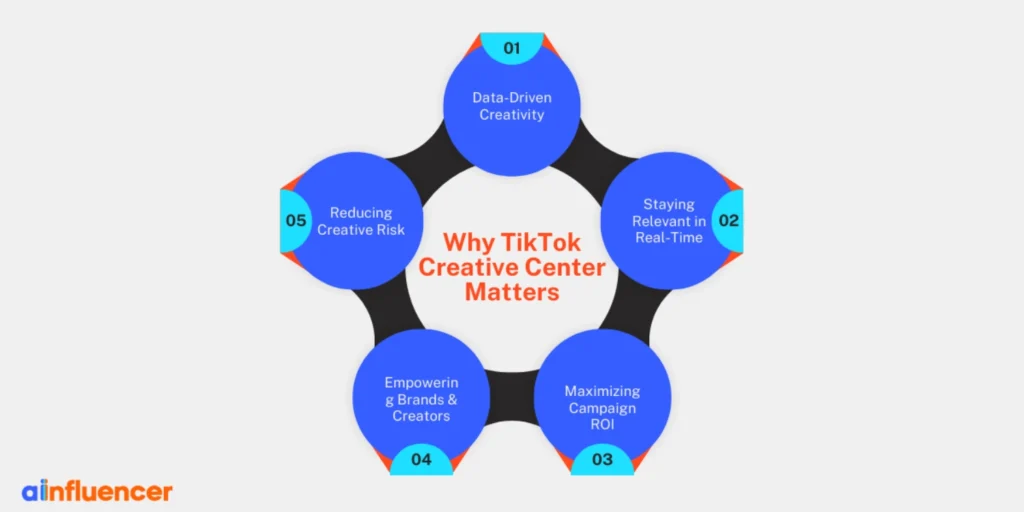
1. Data-Driven Creativity
Instead of guessing what might go viral, Creative Center gives real data on what is going viral right now.
Data-driven creativity democratizes content creation by providing accessible and powerful tools that show you what works. When used wisely, this reduces wasted spend on ads that miss the mark.
2. Staying Relevant in Real-Time
TikTok moves incredibly fast. Trends today can be gone tomorrow. Creative Center is updated continuously, so you can “track and leverage trends” the moment they happen.
Whether you’re a brand or creator, being in sync with the current TikTok culture keeps your content from feeling outdated.
3. Maximizing Campaign ROI
For paid advertisers, Creative Center’s analytics help refine targeting and creative choices. By benchmarking your ads against top performers, you can iteratively improve.
TikTok reports that ads using clear calls-to-action (CTAs) see up to a 30% conversion lift. Creative Center also highlights how to use CTAs effectively (with data like “Ads with CTA cards have 45% stronger recall”).
4. Empowering Brands & Creators
Creative Center bridges brands and creators. It shows marketers what creator content is trending, making it easier to select influencer partners who match trending formats.
It also educates creators on advertising best practices. This alignment strengthens influencer marketing by “facilitating collaboration” with insight-driven examples.
5. Reducing Creative Risk
Experimenting is crucial on TikTok. The Creative Center lets you test elements in a low-risk way.
For instance, if a certain song is trending in Ads data, you can test it in your next organic or paid video. Or try an interactive add-on that competitors are using successfully (Creative Center shows their case studies).
Conclusion
Now that you know everything about the TikTok Creative Center, it’s time to start using it. It doesn’t matter whether you’re a regular TikTok user, a creator, or a business/brand; this platform will give you as many fresh ideas as you need to create content.
Instead of constantly worrying about new content ideas, you can rely on the TikTok Creative Center to help you discover trending videos, songs, and everything else you need to stay inspired.
FAQs
No, the Creative Center is free and public. You can view most content without an account. However, if you want to save favorites, see personalized insights, or upload assets, you’ll need a free TikTok For Business login.
It’s accessed via a web browser on ads.tiktok.com. Currently, there’s no dedicated app for Creative Center. For the best experience, use a desktop browser. A TikTok mobile app might have limited access points, but the full features live on the web.
While the Creative Center focuses on ads and trends, using it wisely can indirectly grow your audience.
By crafting content around trending hashtags, sounds, and formats, you make your videos more discoverable. Although Creative Center isn’t a follower-increasing hack per se, it helps you create the kind of viral, engaging content that does win followers.