![You are currently viewing How Long Can Instagram Reels Be? [A Complete 2026 Guide]](https://socialmedia.ainfluencer.com/wp-content/uploads/2025/09/How-long-can-instagram-reels-be-1.jpg)
Do you want to create your first Reels, but wonder: how long can Instagram Reels be? Instagram Reels have become one of the most effective ways to share content and grow your Instagram. But before you hit that record button, you should know its features and limitations.
While there are many factors at play, the length of your Reel can definitely make a difference. Some say short Reels work best, while others believe length doesn’t matter much. In this article, we’ll walk you through everything you need to know about the best Instagram Reels length, the latest updates, and some helpful tips to make your videos stand out.
If you’re brand new to creating Reels, you might also be curious about the basics. Some say short Reels work best, while others believe length doesn’t matter much when posting on Instagram. Either way, knowing the basics first makes everything easier. Let’s get started!
What Are Instagram Reels?
Instagram Reels are short, vertical videos that work a lot like TikToks. You can film clips, add photos, mix in music, text, stickers, or effects, and share them with your followers, or even reach new people through the Explore page. They’re usually 9:16 (1080×1920 px), which is the standard Instagram post size for vertical videos.
How to Make Instagram Reels?
Creating an Instagram Reel is easy. Just tap the “+” button on your profile or home feed, select Reel.
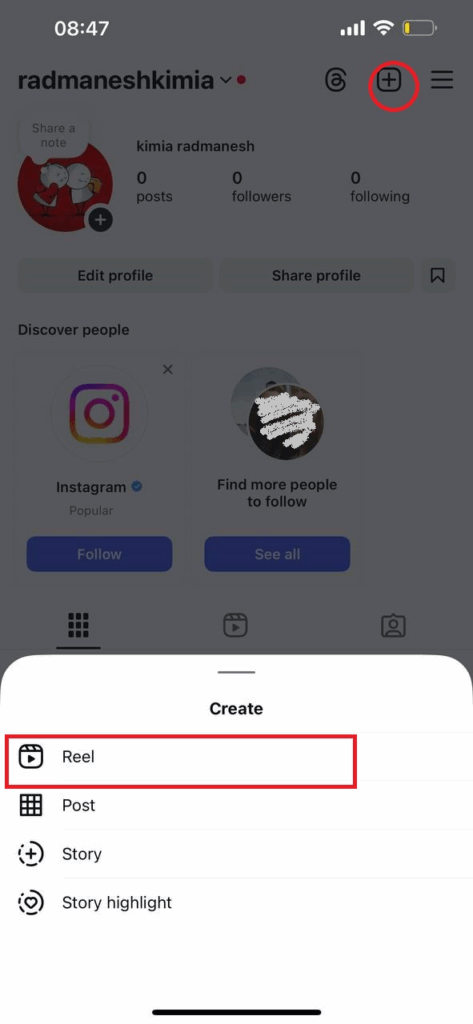
Then, start recording, or upload a video from your camera roll. From there, Instagram gives you simple editing tools to trim clips, add music, filters, or text.
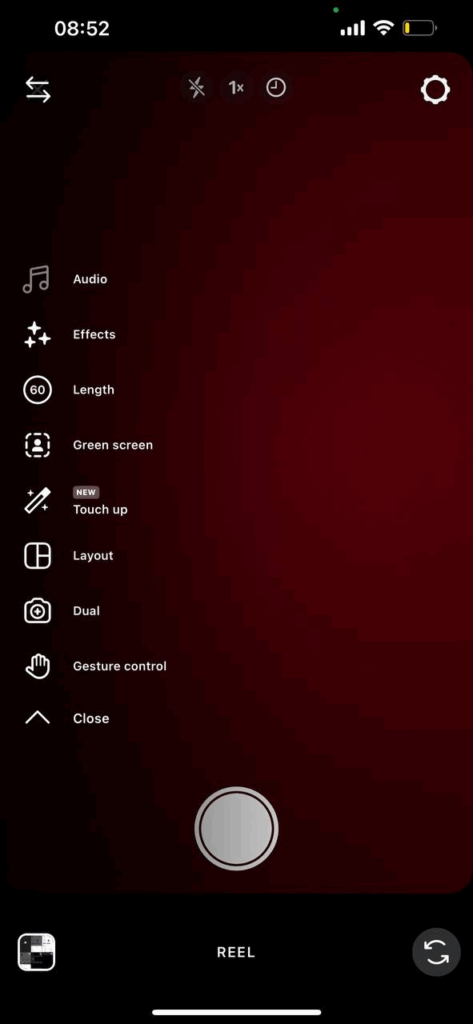
How Long Can Instagram Reels Be?
Instagram Reels can now be anywhere from 15 seconds up to 20 minutes. Before January 2025, the Instagram Reels length limit was 90 seconds, but Instagram increased it to give creators more room to tell their stories.
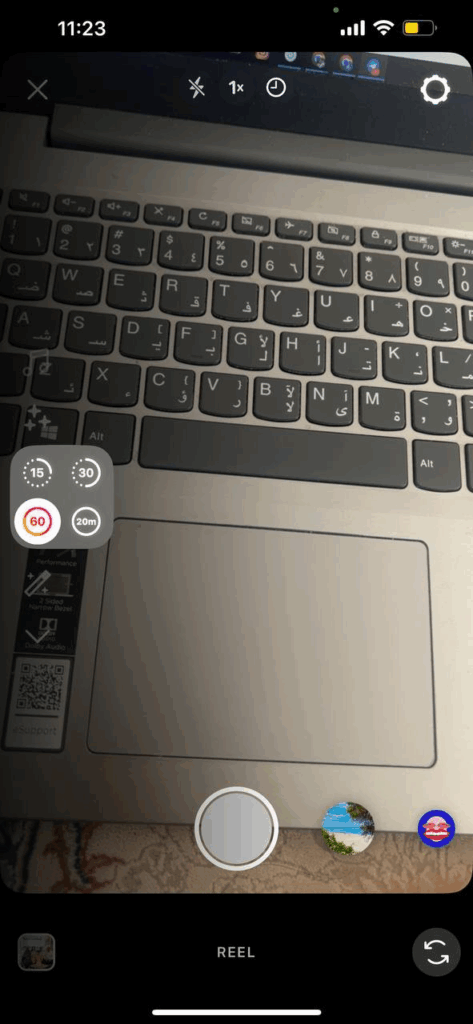
Meta allows videos up to 20 minutes, which Instagram can convert into Reels. However, anything over 3 minutes is treated as long-form content and might not appear in the Reels feed. So in practice, 3 minutes is the effective limit for Reels.
Also read: How to Pause Instagram Reels
Can You Upload Longer Instagram Reels?
Instagram Reels can be from 15 seconds to 20 minutes. You can record one or multiple clips that add up to a total of 20 minutes. The progress bar at the top of the screen shows how long you’ve recorded, making it easy to keep track of your Reel length.
Make sure your video matches the Instagram Reels dimensions (1080 x 1920 px) for a full-screen fit in the feed.
How Long Can Music Be on Instagram Reels?
Unfortunately, Instagram hasn’t clearly documented that limit in its Help Center. You can use original audio that you create while filming or uploading, which others can use if your account is public.
You can also use licensed audio from Instagram’s library, which must show the artist and song name. Licensed tracks over 60 seconds won’t be included in downloads, and music clips are usually limited to 90 seconds.
When editing a 20-minute Reel, you can either combine multiple tracks or switch to different audio clips.
How to Trim Videos to Fit Instagram Reels Length?
Knowing “how long can Instagram Reels be” is one thing, but making sure your video fits is another. Fortunately, Instagram enables you to trim your clips so they match the Reels format.
1. In-App Trimming
After recording or uploading a video in the Reels editor, take the following steps to trim your video:
Step 1: Tap “Edit video” at the bottom left of the screen.
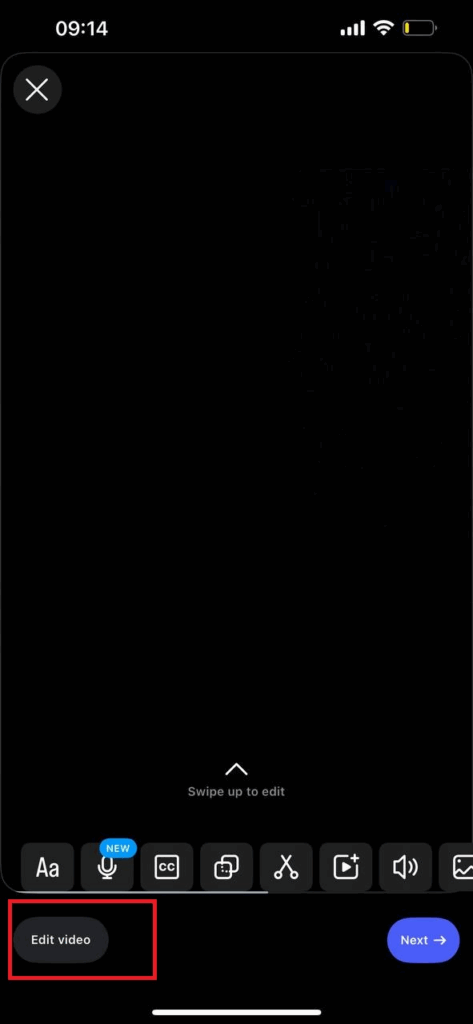
Step 2: In the timeline, tap your clip and drag the yellow slider on either end to adjust the length.
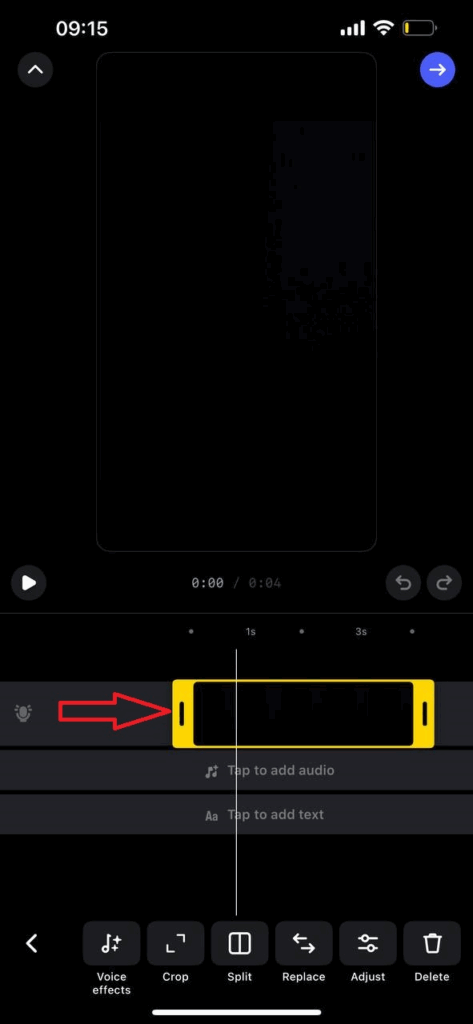
Step 3: Release the slider once your video matches the length you want. Your Reel is now ready to post!
2. Multiple Clips
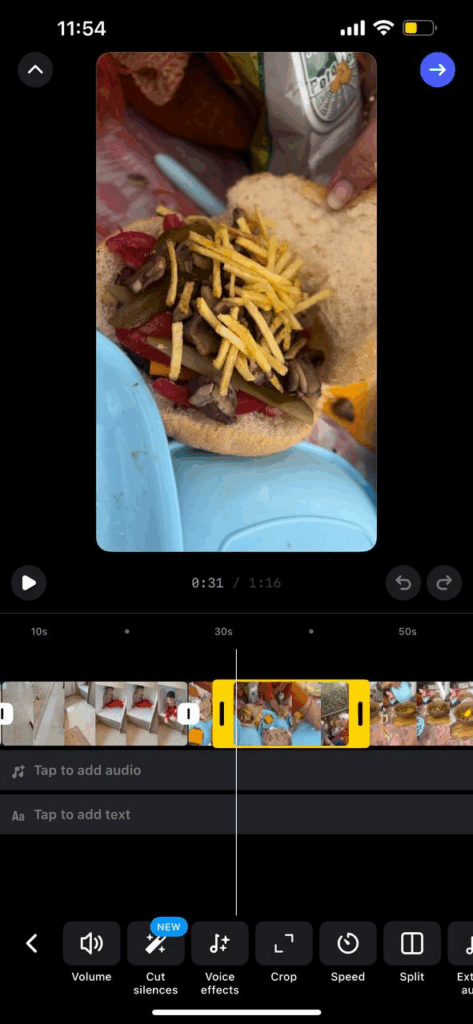
If your Reel has several clips, you can trim each one individually. Tap a clip, use the sliders to set its start and end, and even drag clips to reorder them.
3. Third-Party Editors
For more precise editing, you can trim videos outside Instagram using apps like CapCut, Premiere Rush, or InShot. These tools let you cut clips exactly, add transitions, or create polished effects before uploading.
4. AI Tools
AI editors like SendShort or Opus Clip can automatically extract key moments and turn long videos into short, ready-to-post Reels.
5. Automatic Splitting
If your video is longer than Instagram allows, the app will usually stop at the maximum 20-minute mark. To avoid surprises, trim and preview your Reel before posting.
Note: If your timeline shows 2:59, aim for just under that to make sure the video doesn’t get cut off.
Best Practices to Make Short and Effective Reels on Instagram
Even though Instagram now lets you make 20-minute Reels, shorter videos usually perform better. Here’s how to make yours stand out:
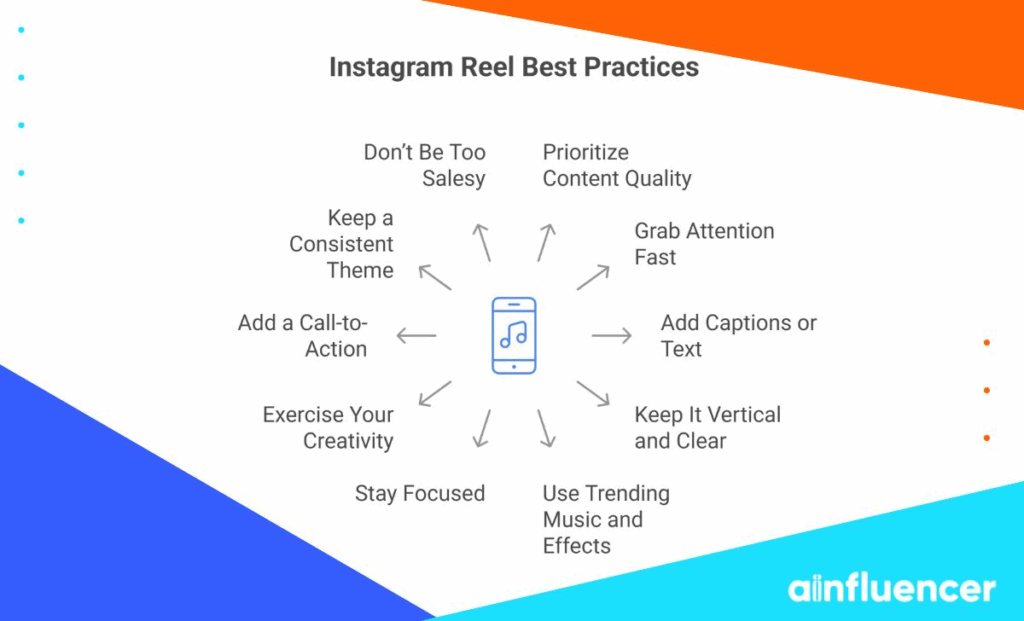
1. Prioritize Content Quality
You must use good equipment, clear audio, high resolution, and polished visuals to make your Reel look professional and help your content stand out. Research shows people prefer high-quality videos.
2. Grab Attention Fast
Instagram has 2.35 billion monthly active users, so there’s plenty of competition. Start your Reel with bright visuals, a question, or an action to grab attention in the first few seconds. Give viewers a reason to keep watching, visit your profile, and get more followers on Instagram.
3. Add Captions or Text
Many people watch without sound. Captions or on-screen text ensure your message is clear, even on mute. For example, in a cooking Reel, show ingredient names as you add them.
4. Keep It Vertical and Clear
Film in portrait (9:16) for full-screen viewing. Make sure your video is sharp, well-lit, and steady. Tripods, ring lights, and good audio can make a big difference.
5. Use Trending Music and Effects
Trending songs, sounds, and effects can get your Reel in front of more viewers. Remember, Instagram music clips are limited, so plan your edits accordingly.
6. Stay Focused
Stick to one main idea or tip per Reel. Short stories work best. Save longer content for a multi-part series.
7. Exercise Your Creativity
Find ways to make your content unique. Show what sets you apart, try fresh ideas, and use creative visuals or storytelling. Being original helps you get noticed and remembered.
8. Add a Call-to-Action (CTA)
End with something simple like “Follow for more tips,” “Save this Reel,” or “Comment below.” A clear CTA encourages engagement and shares.
9. Keep a Consistent Theme
Post Reels that fit your niche or brand. Consistency helps your audience know what to expect and keeps them coming back.
10. Don’t Be Too Salesy
Focus on entertaining or teaching first. If you’re promoting a product, show it naturally while providing value. People respond better to helpful content than hard sells.
How to Post Longer Reels on Instagram?
If you need more time to tell your story on Reels, well, there are a few ways to get around the Instagram Reels video length limit:
1. Split Your Video into a Series
Break your content into smaller parts and label them clearly (e.g., Part 1 of 3). For example, a cooking video could be split into “Ingredients,” “Cooking,” and “Plating.” Using the same thumbnail style and hashtags across the series helps create a consistent look.
2. Use Reels as a Teaser
Turn your Reel into a preview of a longer video. For instance, post a 60-second highlight and add a caption like “Watch the full tutorial on YouTube: link in bio.” You can also direct people to a blog, your website, or an Instagram Video. Think of Reels as mini trailers that guide your audience to longer content where you can share more details.
3. Go Live, Then Repurpose
Instagram Live lets you stream for up to 4 hours, perfect for Q&As, demos, or behind-the-scenes events. Afterward, save the video and cut it into shorter Reels highlighting key moments.
For example, if you host a 40-minute product demo, you could repurpose it into two 20-minute Reels, each covering a different step. This way, you get both real-time engagement and evergreen short clips.
Wrapping Things Up
The answer to “how long can Instagram Reels be” is simple. It’s up to 20 minutes. But don’t stress too much about the timer. While you now have up to 20 minutes to share your story, shorter clips often perform better because they’re easier to watch and rewatch.
The key is to focus on quality, creativity, and giving your audience a reason to stick around.
How Long Can Instagram Reels Be: FAQs
1. What Is the Maximum Length of an Instagram Reel?
Right now, you can record or edit Reels up to 20 minutes long. If you go over, Instagram will automatically stop recording at the 20-minute mark.
2. Has the Reels Length Limit Changed Recently?
Yes! When Reels first launched, they were only 15, 30, or 60 seconds. In 2022, the limit increased to 90 seconds, and by late 2024/early 2025, Instagram bumped it up again to 3 minutes. If your app is updated, you should see the 20-minute option.
3. Why Am I Still Limited to 90 Seconds on Reels?
Instagram usually rolls out updates slowly. If you’re stuck at 90 seconds, try updating your app and restarting it. If that doesn’t work, you might just be in a testing group or region where 20 minutes isn’t live yet. It’s only a matter of time before the longer option reaches everyone. In the meantime, you can try the tricks we shared above to work around the limit.
4. Can I Upload a Reel Longer Than 3 Minutes?
Yes! With the new update, you can upload a video up to 20 minutes long. Instagram will turn it into a Reel, but anything beyond 3 minutes may be treated differently by the algorithm.